Retransmit a Batch
Retransmit an already transmitted batch of Medicare claims to Services Australia.
About this task
Procedure
To retransmit a claim:
-
Select
 Claiming, Banking, and Payments > Batch from the menu.
-
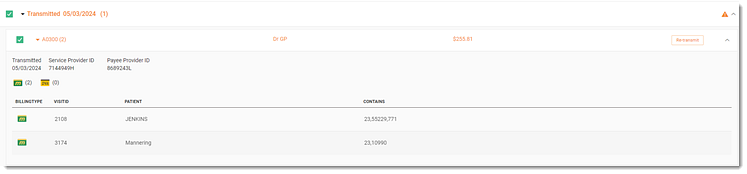
Expand the transmitted day or date which has an
 Error message, indicating that the batch has failed and needs to be
retransmitted.
Tip:If there is more than one batch for the selected date, to view the consults included, select and expand the batch number.
Error message, indicating that the batch has failed and needs to be
retransmitted.
Tip:If there is more than one batch for the selected date, to view the consults included, select and expand the batch number. -
Hover your mouse over a batch item and click Re-transmit.