
Batch
Batch a group of Medicare bulk bill claims and send the batch from Helix to Services Australia together.
About this task
Procedure
To view the batch option:
-
Select
 Claiming, Banking, and Payments > Batch from the menu.
You can batch a group of Medicare claims for each practitioner at the end of the day and send the batch to Services Australia.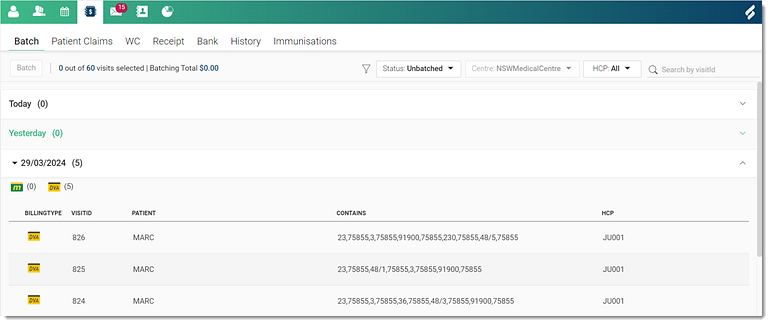 Note:A list of unbatched consults for the current day is displayed by default. The number of Medicare and DVA consults for the day are displayed in brackets.
 -
In the Filter section, change the following actions:
- From the Status list, select the required status such as
Unbatched, Batched,
Transmitted and so on.
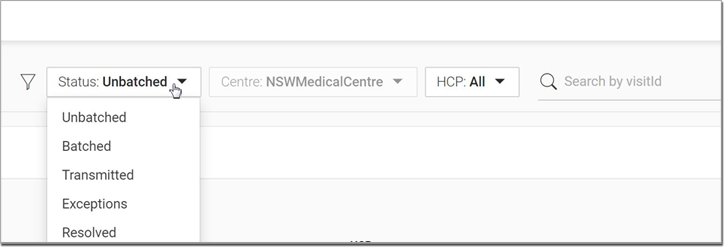
- Centre field displays the name of the Centre to which you are currently logged in.
- To view consults or visits for a particular provider, from the HCP list, select that provider.
- To view a particular visit or consult, in the
 Search by visitid field, enter the visit
ID and search.
Search by visitid field, enter the visit
ID and search.
- From the Status list, select the required status such as
Unbatched, Batched,
Transmitted and so on.