
Edit a Visit from the Batch
Before a consult is batched, you can edit in the visit.
About this task
Procedure
To edit a unbatched claims:
-
Select
 Claiming, Banking, and Payments > Batch from the menu.
-
Expand the required date or day and then select
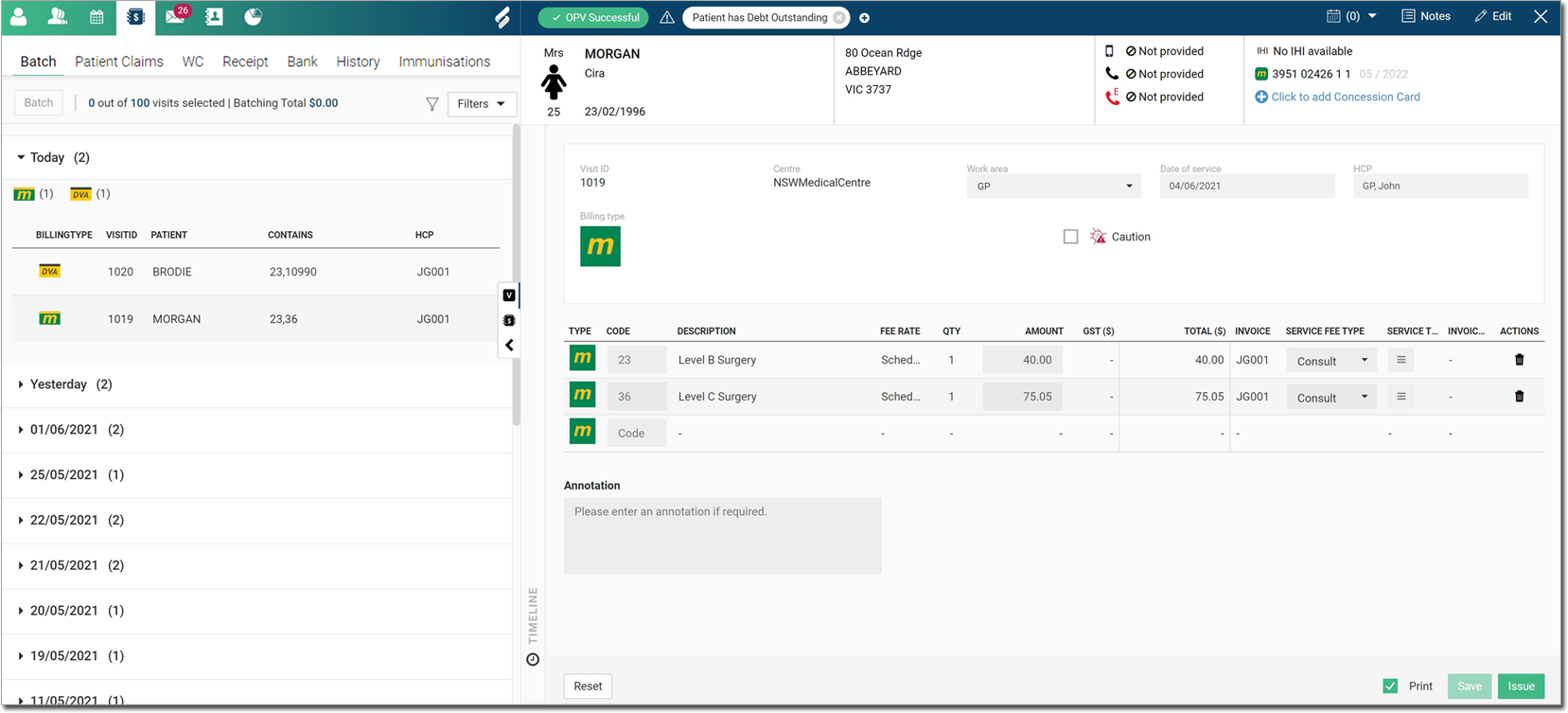
the required consult item. Details of the associated visit are displayed.
If required, make changes in the Code, Amount, Service Fee type, or Service Text fields.
-
To delete a service, hover the mouse over a required item, and then click
 Delete or to undo the changes, click
Reset.
Delete or to undo the changes, click
Reset.
Results
 Visit
panel.
Visit
panel.