You can set your preferences for the default note template, format of consultation
timer for the transcript, and language preference.
Procedure
-
Select >
 Preferences.
The
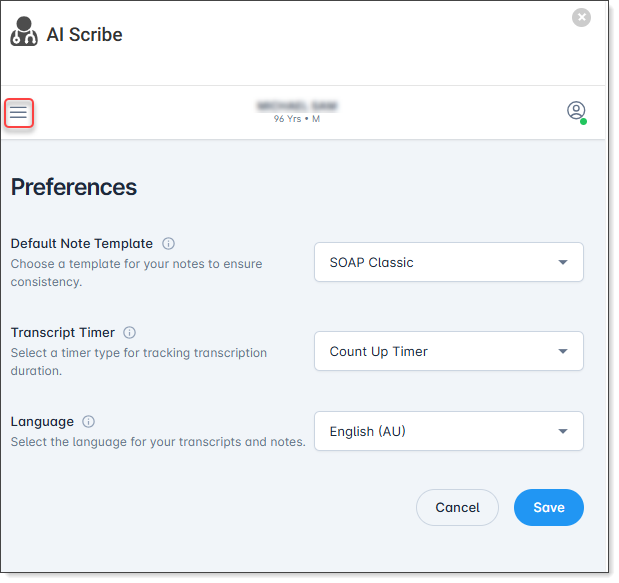
Preferences screen is displayed.
-
Specify the required settings, and click Save.
Note:
- Default Note Template - The default template
is used the first time you generate a note. After that, you will be
prompted to select a template each time you generate another note,
making it easy to use different templates without changing your
preferences.
- Transcript Timer Preference - The transcript
time is displayed as a running timer or the current time, based on
your settings. This value applies only to the transcript to provide
additional context for AI note generation. It does not affect the
generated clinical notes. Timestamps displayed above posted notes
are generated by Helix, not AI
Scribe.