Medicare Bulk Billing Incentives
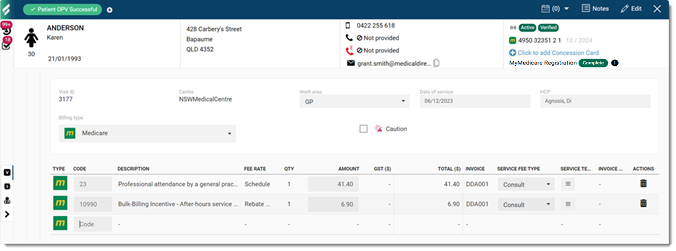
For all Medicare-eligible patients, Helix automatically adds Medicare billing incentive items to a service for a consult.
Before you begin
About this task
Different incentives apply depending on the Modified Monash Category in which your centre is located. Select either your centre's category, MM1-7 to automatically apply incentive items added by Services Australia on 1 November 2023, or specify a default bulk billing incentive item. For more information, see Modified Monash Model. To find your centre's MM category, see Health Workforce Locator.
Procedure
To define the Medicare billing incentive item added for Medicare-eligible patients:
-
Select
 user >
  Settings.
-
For your centre, hover the mouse over your centre name and click
 Edit.
Edit.
Results
Medicare incentive items
are automatically added to any visit with any healthcare practitioner that meets the
following conditions:
- Billing type of Medicare or DVA
- There is no referral attached
First available and workers compensation incentive items are automatically added to any eligible visit with any healthcare practitioner.