
Link Duplicate Records
Link duplicate patient records.
Before you begin
Permissions:
- Patient Management
- View Patient
- Update Patient
About this task
Important:
When linking duplicate patient records, you select which record is
the master record. The information from the duplicate record is not moved to the master
record; any differences must be added manually.
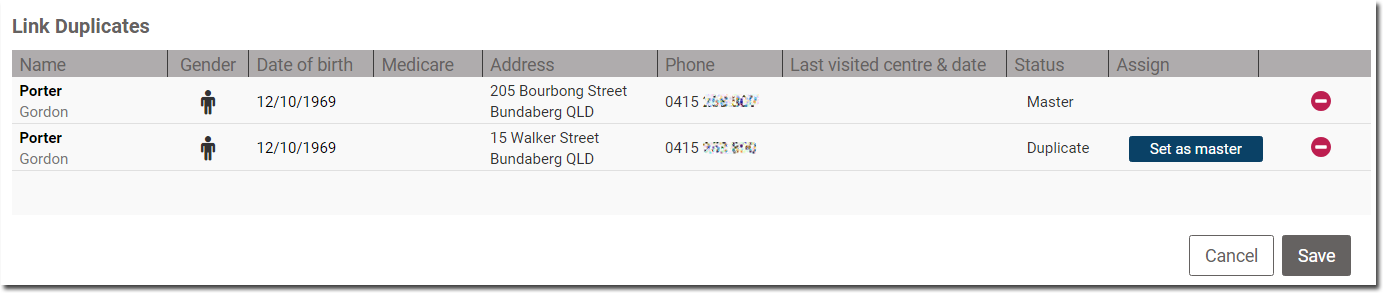
In this example, the patient changed their residential address, and informed the practice of this change. However, instead of updating the address in their record, a staff member in training inadvertently added a second copy of the patient's record to the practice's database.
Procedure
To locate and link duplicate records:
-
Select
 user >
  Settings.
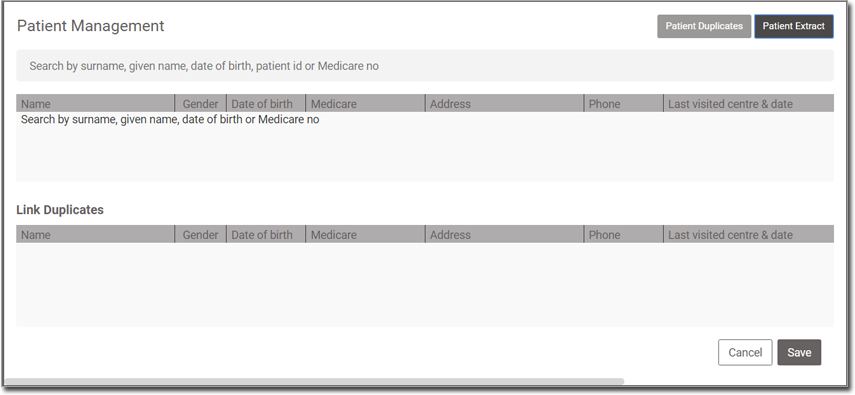
- In the Patient Management section, enter one or more of the patient's
surname, given name, date of birth, patient ID, or Medicare number.
-
A list of matching results is displayed.
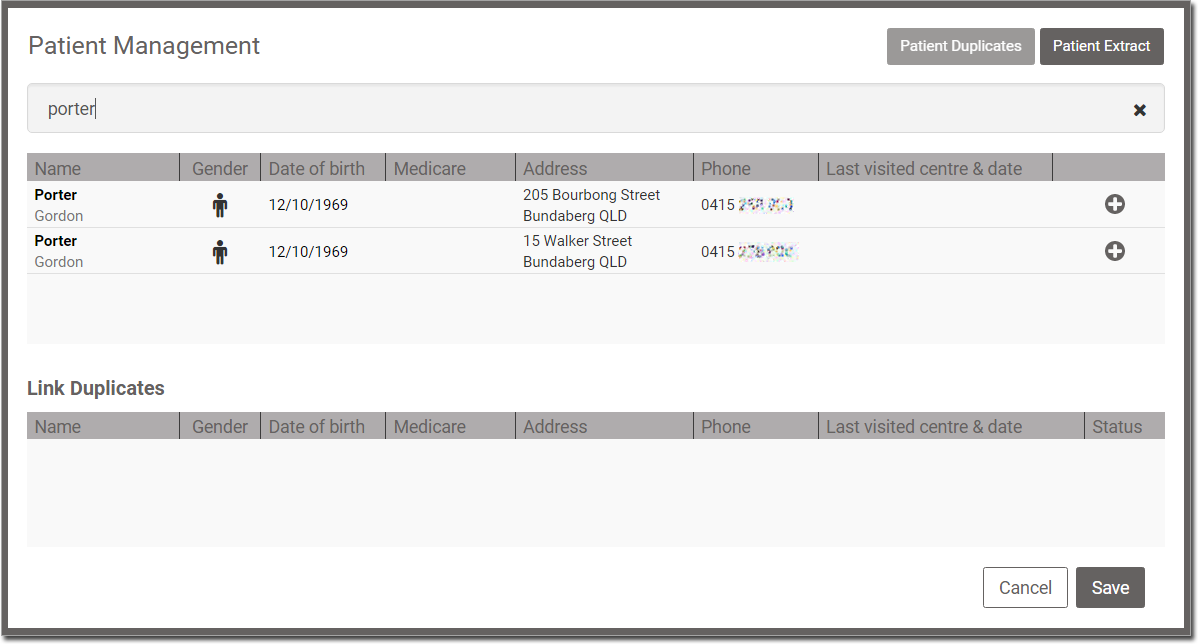
In this example, there are two matching records for porter, and we happen to know this is the only Gordon Porter in our database. However, there might have been more; you need to ascertain which records belong to the patient you are looking for. The matching date of birth and mobile phone numbers confirm that we have the correct records. -
For each record you want to link, click
 Link.
Link.
-
The records are moved to the Link Duplicates section.
Results
After you have linked patient records, an indicator is displayed at the
top of the records to show that they are linked.

To display a menu of the patients who have been linked, click the green stripe.
To display a menu of the patients who have been linked, click the green stripe.
The linked records are coded:

 - M denotes that this is the master record.
 - the tick icon denotes that this is the active record that is currently
open.
- the tick icon denotes that this is the active record that is currently
open. - D denotes that this is a duplicate record.
What to do next
Add any important information that is not in the linked patient record to the master patient record manually.
Tip:
Ensure that clinicians use the master patient record for future
consults.