
Activate B2B Device
Activate your B2B device to access a range of health provider services such as Medicare Online, Australian Immunisation Register (AIR) and other services.
Before you begin
Permissions:
- Update Centre Settings
About this task
 Settings.
Note:
Activate your device
within 24 hours of registering it with PRODA.
Procedure
To activate a B2B device:
-
Select
 user > Settings > Centre > B2B Devices.
-
In the PRODA Device Activation window, in the
Device name field, enter the same device name
provided to PRODA.
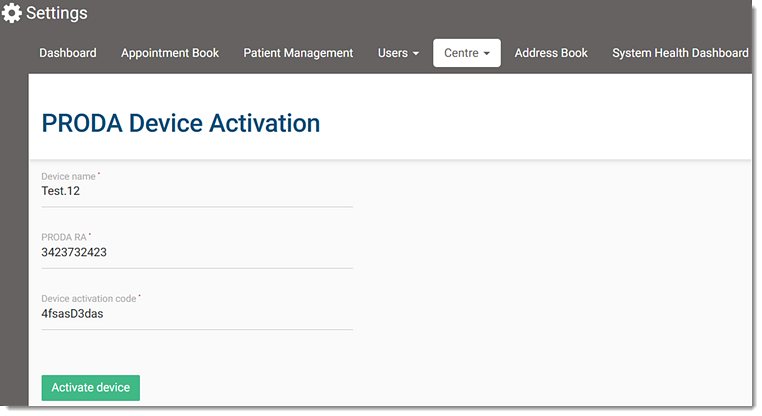
The device name must be 5 characters with no spaces and also may contain any of the following characters:- Alphanumeric
- Underscores
- Hyphens
- Full stops
Results
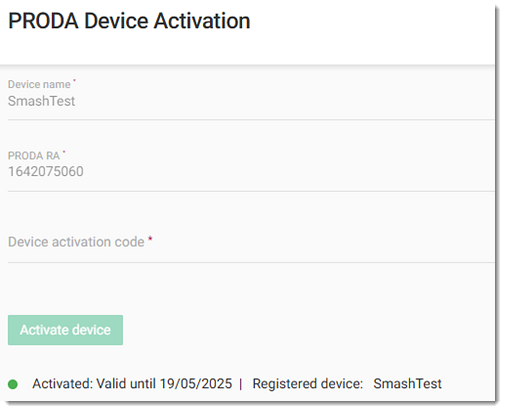
If your B2B device activation fails, review the device details with PRODA.
What to do next

To renew your B2B device:
- In the PRODA portal, generate a new activation code. For more information about generating a new code in PRODA, see Generate New Code.
- In Helix, select user > Settings > Centre > B2B Devices, enter the new code in the Device activation
code field.
- Click Activate device.