
Permissions

The areas of Helix you can access are determined by the permissions assigned to your role.

Before you begin

Permissions:
  • Update Roles and Permissions

About this task

Assign permissions to a role:

Procedure

  1. Select User iconuser > Settings iconSettings.
  2. From the Settings screen, select Roles & Permissions.
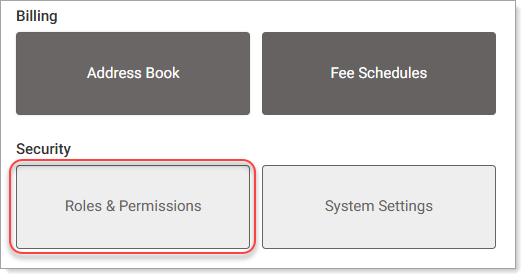
    The Roles & Permissions screen is displayed.
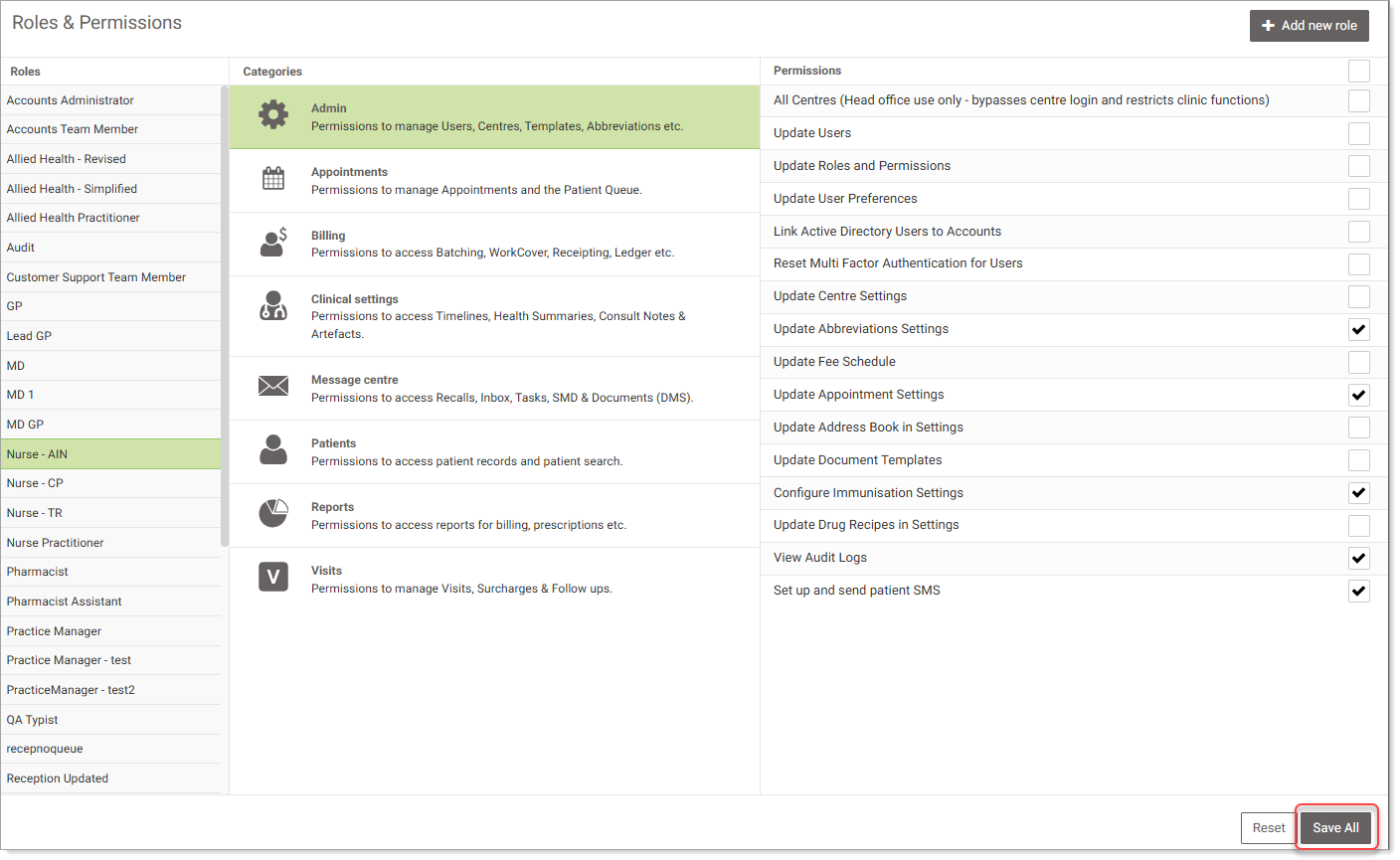
  3. Select the required role.
  4. Select required category.
  5. In the Permissions screen, select the required permissions by selecting check boxes.
  6. Select other categories and permissions as required.
  7. Select Save All to save your changes.
    For more information about permissions, see Helix Permissions.