
Medical-Objects Messaging
Integrate secure messaging providers with Helix using a Medical-Objects account.
Before you begin
- Ensure that you have a registered account with Medical-Objects.
- As part of the registration package, Medical-Objects will provide you with:
- A serial key or token
- A root security certificate
- A messaging address
- Lodge a support ticket at https://www.medicaldirector.com/support#registration and include these details so that the Helix support team can do your background setup.
About this task
Procedure
To configure Medical-Objects in Helix as the SMD
provider:
-
Select
 user >
  Settings.
- Select .
- In the Centre Management window, locate the centre you want to edit.
-
Hover your mouse over the centre name, and click
 Edit.
Edit.
-
On the Messaging Providers tab, enter the messaging
address for the required service.
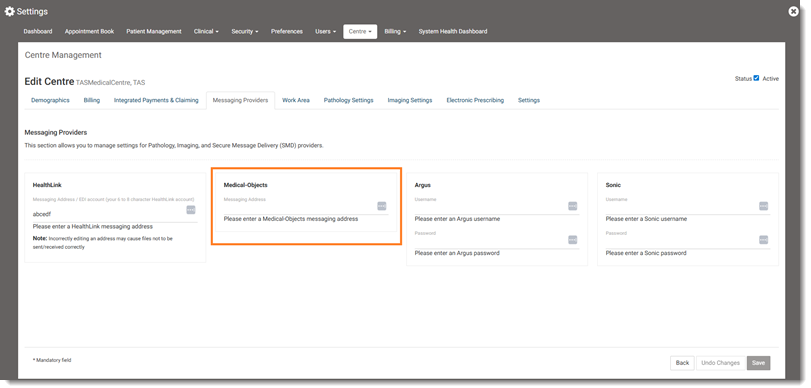
- Click Save.